
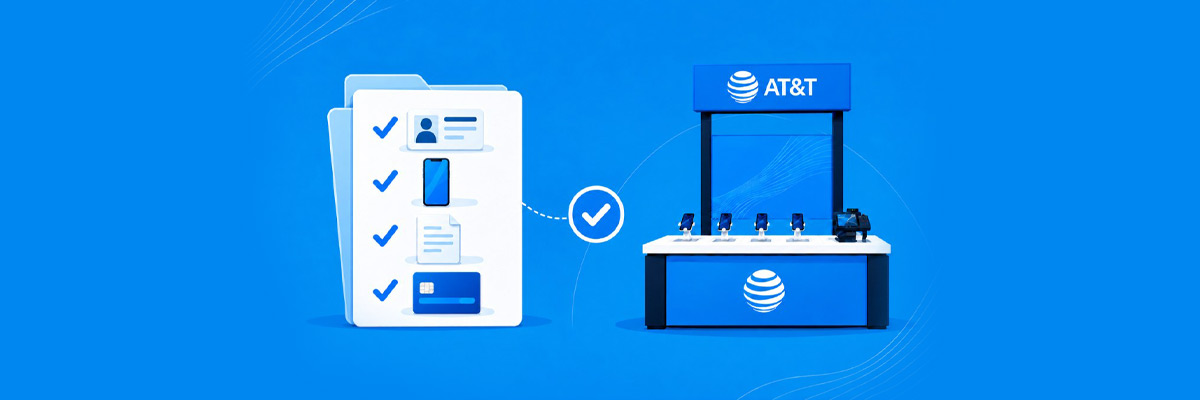
Your visit to an AT&T national retail location can be straightforward when you know what information to bring. Whether you’re starting wireless service, switching carriers, upgrading a phone, or bringing your own device, a little preparation can help you spend less time gathering account details at the counter.
The exact requirements depend on what you’re doing. A valid government-issued ID is required to set up AT&T Wireless service. If you’re transferring an existing phone number, you’ll also need information from your current carrier account.
Find an AT&T national retailer near you.
Bring the Basics First
For a new AT&T Wireless account, start with a valid government-issued ID. If you’re transferring a number, add your current carrier account information and a transfer PIN or account code when applicable.
Step 1: Bring a Valid Government-Issued ID
To set up AT&T Wireless service, you must present a valid government-issued ID. Accepted IDs for U.S. citizens include a U.S. passport or passport card, a state-issued driver’s license or ID, certain U.S. Consular or Matricula cards, and tribal IDs. There are other qualifying documents for residents of other countries, including a Permanent Resident Card with a photo, an Employment Authorization Document with a photo, and certain passports or consular documents.
Check AT&T’s current ID requirements before you visit if you are unsure whether your identification qualifies.
Step 2: Bring Your Current Carrier Account Information If You’re Switching
If you want to keep your current phone number while switching to AT&T, have the information from your existing wireless account ready. You’ll need the name associated with your current cell plan, your current account number, and a transfer PIN or account code when applicable.
This information helps AT&T work with your current carrier to complete the number transfer. Keep your existing service active until the transfer is authorized and completed.
Step 3: Know Which Numbers You Want to Transfer
For a family account, make a list of the phone numbers you want to move to AT&T and confirm which lines belong to the current account. Knowing exactly which numbers you’re transferring can help keep a multi-line setup organized.
Step 4: Bring Your Current Phone If You Want to Trade It In
If you plan to upgrade and trade in your existing phone, bring the device with you. AT&T authorized national retailer representatives can help review trade-in offers and upgrade eligibility. Because trade-in eligibility and promotional terms can vary, confirm the current requirements for your specific offer.
Step 5: Have an Idea of the Phone or Plan You Want
You don’t need to know every detail before you arrive. It helps to have a starting point, though. Consider how many lines you need, whether you want a new phone or plan to use your current device, how much mobile data you use, and whether you need hotspot or international features. An AT&T representative at the authorized national retailer can help you with the rest.
For families, AT&T Unlimited Your Way allows eligible lines to use different plan tiers, so each family member can have a plan that matches their needs.
Step 6: Bring Any Promotion or Offer Details You’re Shopping For
If you’re visiting an authorized national retailer because of a specific offer, bring the details with you. Authorized national retailers may offer their own incentives, such as gift cards, reward cards, or bundled savings, in addition to standard AT&T offers. Availability and eligibility vary by retailer and location.
Step 7: Be Ready to Review the Terms of the Purchase
Before you complete the transaction, make sure you review the plan, device payment, trade-in terms, and promotional details. Ask which charges are recurring and which are one-time charges. Understanding those details up front can also make your first bill easier to review.
What If I’m Shopping at Costco, BJ’s or Best Buy?
AT&T national retailers include businesses such as Costco, BJ’s Wholesale Club and Best Buy, where participating locations may have staffed AT&T kiosks. These national retailers are approved to sell official AT&T wireless, internet, and device services. AT&T kiosks can handle common transactions such as new service, upgrades, number transfers, and phone activation.
A national retailer is a separate retail business from an AT&T corporate store, while still being approved to sell AT&T services. Customers continue to receive access to official AT&T plans, devices, eligible promotions, and support.
Find an AT&T national retailer near you.
A Simple Pre-Visit Checklist
Here’s a quick checklist you can use before heading to an AT&T retail location:
- Valid government-issued ID: Required to set up AT&T Wireless service.
- Current carrier account information: Needed when transferring a number, including the account number and name on the account.
- Transfer PIN or account code: Bring this if your current carrier requires one for a number transfer.
- Current phone: Bring it if you plan to trade it in or need help moving to a new device.
- Phone or plan preferences: Have a general idea of which device, number of lines and features you want.
- Promotion details: Bring the terms or documentation for any offer you plan to use.
- Questions: Make a note of anything you want explained before you approve the transaction.
Having these details ready can help make your AT&T retail visit as smooth as possible and give you more time to focus on choosing the right plan and device.
What About the First Bill?
Your first bill may not match the regular monthly amount you have in mind. It can contain a partial-month charge for the time between your service start date and the beginning of your first full billing period, along with the next full month billed in advance. It may also include one-time charges, device installment payments, taxes, surcharges, or other fees. Some promotional pricing can take up to two billing periods to appear.
Ask This Before You Leave
Ask the representative to explain your recurring monthly service cost, device payment, expected first bill, and any promotion or trade-in credit. That gives you a clearer picture of both the purchase and what happens after you leave the store.
Learn more about what to expect after purchasing at an AT&T Kiosk.
Can I Get Help After I Sign Up?
Yes. AT&T provides ongoing account management and support through phone, chat, and the AT&T app, including for customers who purchase through an authorized national retailer. Some complicated account changes, difficult number transfers, or existing billing and technical issues may be easier to handle through an AT&T corporate store or direct AT&T support. These support options are still available if you purchased your AT&T service through a retailer.
Ready to Visit an AT&T Retail Location?
A little preparation can make your AT&T retail visit easier and help you feel confident about your options. Bring the required identification, have your current account information ready if you’re switching carriers, and keep the details of any promotion or trade-in offer you plan to use. With those basics in hand, you’ll be ready to compare plans, explore devices, and get your new service set up.
Find an AT&T national retailer near you to compare plans, explore devices, and get started today.
Frequently Asked Questions
Do I need an ID to sign up for AT&T Wireless?
Yes. A valid government-issued ID is required to set up AT&T Wireless service.
What information do I need to switch my phone number to AT&T?
Have the name associated with your current cell plan, your current account number, and a transfer PIN or account code when applicable.
Should I cancel my old wireless service before switching?
No. Keep your current service active until the number transfer is authorized and completed.
What should I bring if I want to trade in my phone?
Bring the device you plan to trade in and the details of any trade-in offer you plan to use. Eligibility and promotional requirements can vary.